

As a supplier of snap off graphics blades, I often get asked by customers, "How do I know when a snap off graphics blade needs to be replaced?" It's a crucial question because using a dull or damaged blade can not only affect the quality of your work but also pose safety risks. In this blog, I'll share some key indicators that it's time to swap out your blade and provide some tips to help you get the most out of your snap off graphics blades.
Visual Inspection
One of the simplest ways to determine if your snap off graphics blade needs replacement is through a visual inspection. Over time, the blade's cutting edge will wear down, becoming dull and less effective. Look for signs of chipping, cracking, or excessive wear on the blade's edge. If you notice any of these issues, it's a clear indication that the blade is no longer in optimal condition and should be replaced.
Another visual cue is the presence of discoloration on the blade. This can be a sign of heat buildup, which can cause the blade to lose its hardness and sharpness. If you see that the blade has turned a dark color or has a burnt appearance, it's time to snap off the damaged section or replace the entire blade.
Cutting Performance
The performance of the blade during cutting is another important factor to consider. A sharp snap off graphics blade should cut through materials smoothly and cleanly, without requiring excessive force. If you find that you're having to apply more pressure than usual to make a cut, or if the blade is tearing or snagging the material, it's likely that the blade is dull and needs to be replaced.
In addition, pay attention to the quality of the cut. A dull blade may leave rough edges or uneven cuts, which can affect the overall appearance of your work. If you notice that the cuts are not as precise as they used to be, it's a good idea to check the blade and replace it if necessary.
Frequency of Use
The frequency with which you use your snap off graphics blade can also impact its lifespan. If you use the blade regularly for heavy-duty cutting tasks, it will naturally wear out more quickly than if you use it infrequently for light-duty work. As a general rule, if you use the blade on a daily basis, you may need to replace it every few days or weeks, depending on the intensity of the cutting.
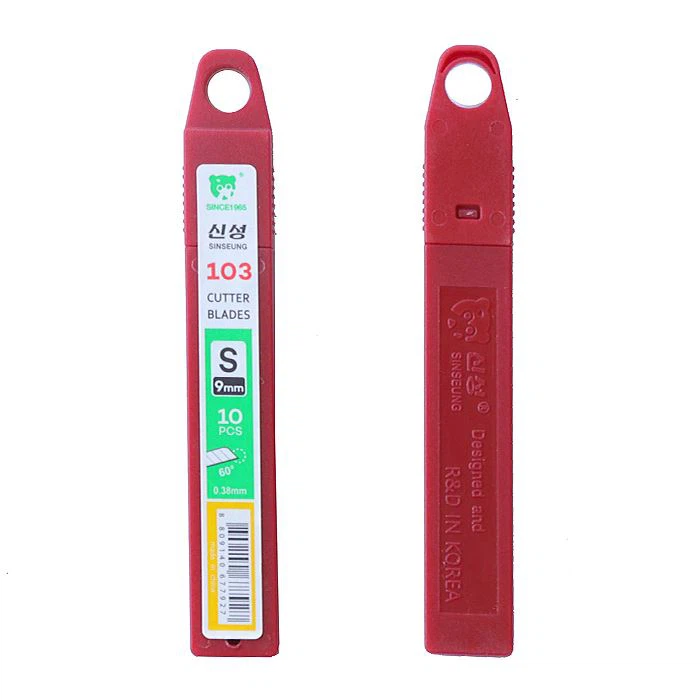

On the other hand, if you only use the blade occasionally, it may last for several months or even longer. However, it's still important to inspect the blade regularly and replace it as soon as you notice any signs of wear or damage.
Material Compatibility
The type of material you're cutting can also affect the lifespan of your snap off graphics blade. Some materials, such as glass, metal, and thick plastics, are more abrasive and can cause the blade to wear out more quickly than softer materials like paper or fabric. If you're cutting through tough materials on a regular basis, you may need to replace the blade more frequently.
It's also important to use the right type of blade for the material you're cutting. For example, Snap-off Blade For Window Tints are specifically designed for cutting window films, while Snap off Blades 9MM are suitable for a variety of general cutting tasks. Using the wrong type of blade can not only reduce its lifespan but also result in poor cutting performance.
Tips for Extending Blade Lifespan
While it's inevitable that your snap off graphics blade will eventually need to be replaced, there are some steps you can take to extend its lifespan and get the most out of your investment. Here are a few tips:
- Store the blade properly: When not in use, store the blade in a dry, cool place to prevent rust and corrosion. Avoid leaving the blade exposed to moisture or extreme temperatures, as this can damage the blade and reduce its lifespan.
- Clean the blade regularly: After each use, clean the blade with a soft cloth to remove any debris or residue. This will help prevent the buildup of dirt and grime, which can dull the blade over time.
- Use the blade correctly: Follow the manufacturer's instructions for using the blade, and avoid applying excessive force or using the blade for tasks it's not designed for. This will help ensure that the blade lasts as long as possible.
- Snap off the damaged sections: Most snap off graphics blades are designed with multiple cutting edges that can be snapped off when they become dull or damaged. By regularly snapping off the used sections, you can extend the lifespan of the blade and maintain its cutting performance.
Conclusion
Knowing when to replace your snap off graphics blade is essential for achieving optimal cutting performance and ensuring the safety of your work. By paying attention to visual cues, cutting performance, frequency of use, and material compatibility, you can easily determine when it's time to replace the blade. Additionally, by following the tips for extending blade lifespan, you can get the most out of your investment and reduce the frequency of blade replacements.
If you're in the market for high-quality snap off graphics blades, look no further than our Cutter Blades SK2. Our blades are made from premium materials and are designed to provide superior cutting performance and durability. Whether you're a professional installer or a DIY enthusiast, our snap off graphics blades are the perfect choice for all your cutting needs.
If you have any questions or would like to discuss your specific requirements, please don't hesitate to contact us. We're here to help you find the right blade for your application and provide you with the support and guidance you need to get the most out of your purchase.
References
- Manufacturer's guidelines for snap off graphics blades
- Industry best practices for blade maintenance and replacement